Countersink icon: five tally marks Countersink

Free, open-source tally counter for Android · Public beta

Keep count of anything.

Pull-ups today, rows knitted, points scored, boxes on a shelf. Countersink is a tally counter with a large number, minus on one side and plus on the other, and a memory for every tap. No ads, no account, and no permission to use the internet.

  • Free, no ads
  • Open source
  • No account
  • No internet permission
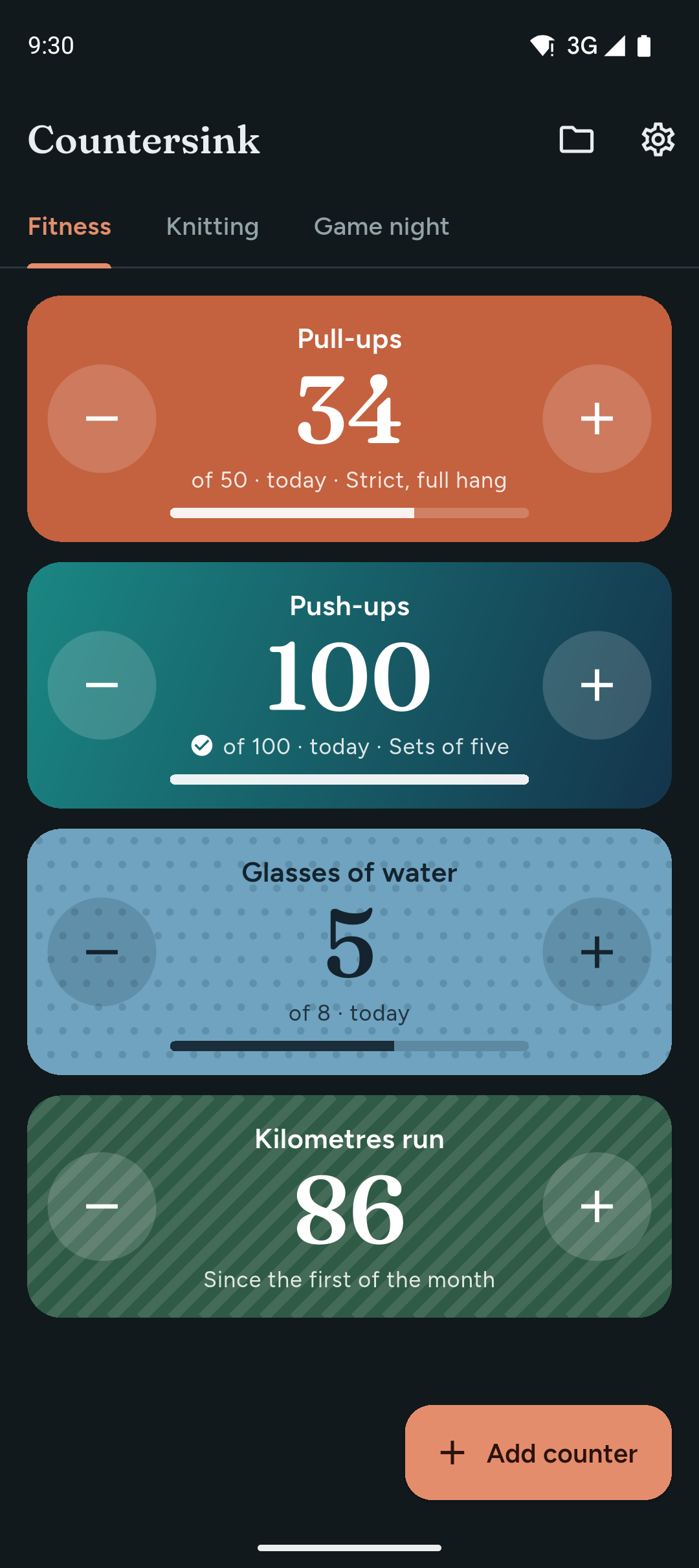
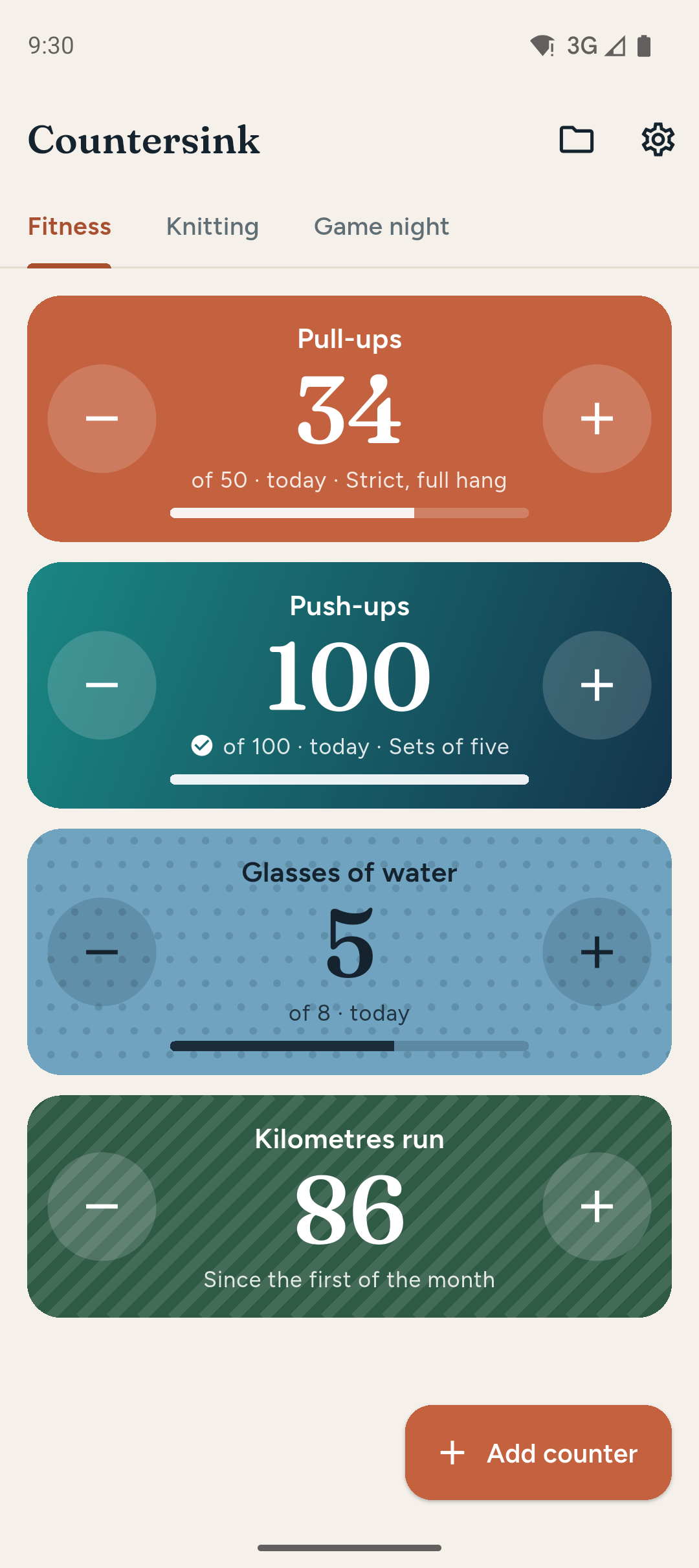
Countersink's home screen: a group of coloured counter cards, each with its name, a large number, and minus and plus buttons

Why Countersink exists

Counting things is a small job that deserves a good tool. Countersink is our attempt at one: a carefully made counter, offered as free and open-source software for its own sake.

It will always be free and open source: no ads, no price, no premium tier. Counting should never be interrupted.
A tap counts. Everything else waits until you ask.

Plus and minus sit where your thumbs expect them and never move, so you can count without looking. Press and hold when you want more: an amount to type in, a goal, the history.

A group of counters as coloured cards with minus, the number and plus
Counters in groups, a tab each
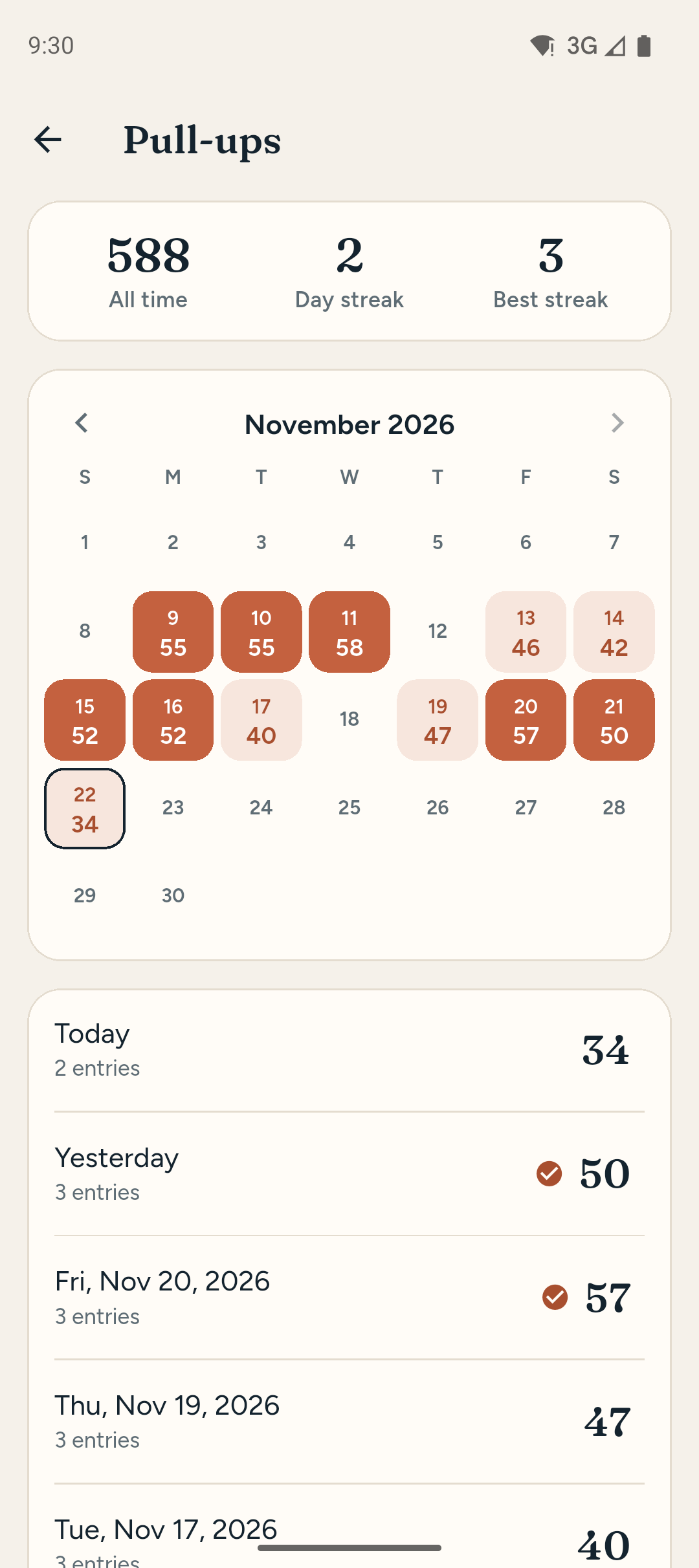
A counter's history: its all-time total and streak, a calendar of the month with each day's count, and the days listed newest first
Every day, on a calendar
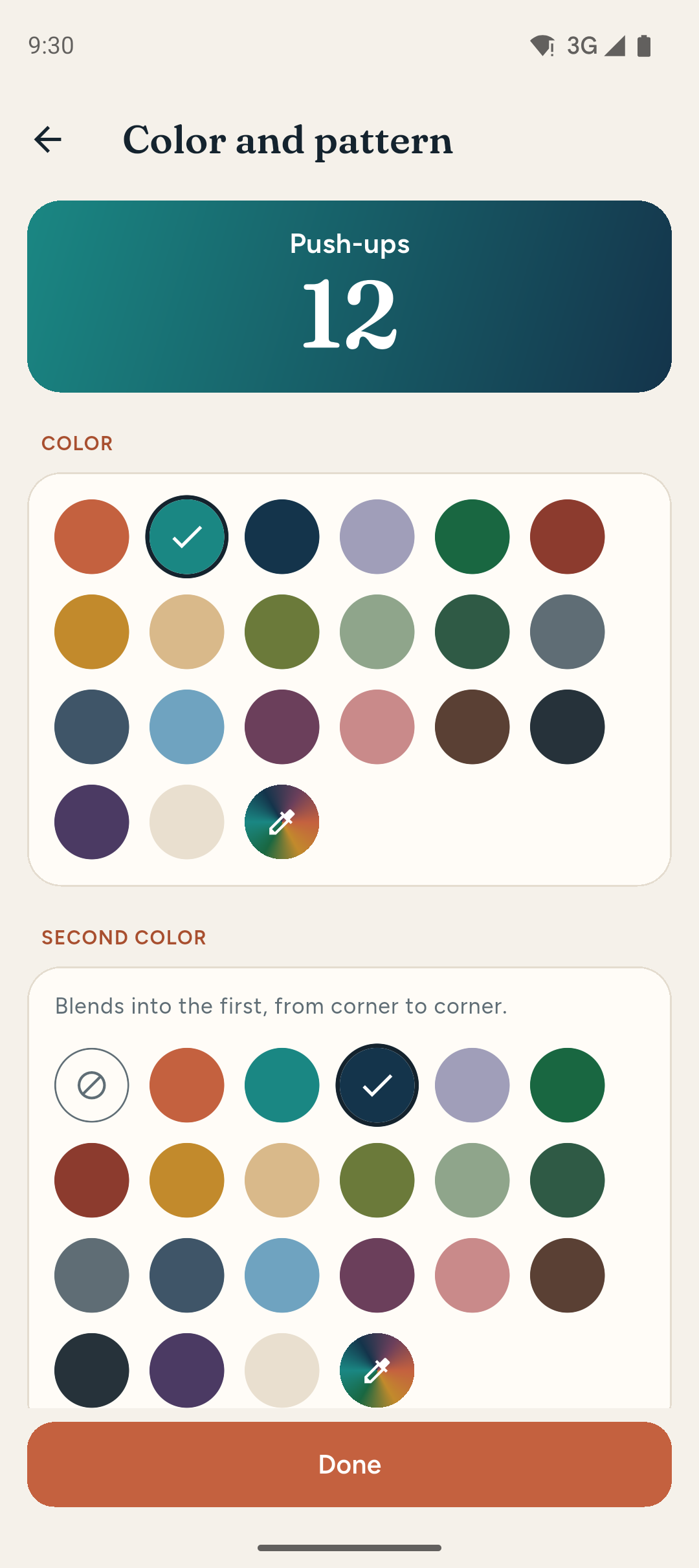
Choosing a counter's colour and a second colour to blend into, with a preview of the card
Any colour, a blend, a pattern
The home screen in dark mode
Light and dark

Every tap remembered

Countersink saves each change with its time, never just a running number. That's what makes the history, the daily totals and Undo exact instead of guessed.

Counts that start fresh each day

A per-day counter shows today's total and keeps the days before. You choose the hour a day starts, so a late-night set still counts toward the evening it was done.

By ones, fives, or a whole set

Give a counter its own step to count by 5 or by 10. Press and hold plus to type in an amount, or minus to take one away. A count never goes below zero.

Goals

Set a number to reach, each day for a per-day counter. The card shows how far along you are and marks the goal when you get there, with a longer buzz on the tap that does it.

Mistakes are easy to take back

Deleting a counter or resetting it to zero happens at once and offers Undo, which brings back every tap. A stray touch mid-count can only ever count; it can't open a dialog.

Your counts, in your files

Back up everything to a plain, documented JSON file wherever you choose, or export a spreadsheet with one row per entry. Nothing locks you in.

Your counts stay on your phone

The question “what do they do with my data?” has a boring answer: nothing, because it never reaches us.

No internet permission

Countersink is built without permission to use the internet, so Android itself stops it from sending anything anywhere. Check the permission list yourself.

No account, no server

Every count is written to a database on your phone. It only goes somewhere else if you move it yourself, as a backup file or an export.

Nothing watching

No analytics, advertising or tracking in the app, and it's excluded from Android's cloud backup.

Check our work

Countersink is open source under the GNU General Public License. Read exactly what it does on GitHub.

Countersink asks for no permissions at all. Saving a backup or an export goes through Android's own file picker, so the app only ever touches the one file you choose.

Coming soon

The first beta is nearly here

For Android 7.0 or newer

Countersink's first beta is being built. The download will appear here as soon as it's ready.

Installing

  1. Tap Download APK on your phone. Chrome warns that the file might be harmful — it says that about every app from outside the Play Store. Tap Download anyway.
  2. Open the download. At Do you want to install this app?, tap Install. The first time, your phone may ask you to allow Chrome to install unknown apps before that.
  3. If you see App blocked to protect your device, tap More details, then Install anyway. That's Play Protect being cautious about an app it hasn't seen before; Countersink is new.

Updates install over the top and keep your counts. Uninstalling erases them — use Back up to a file in Settings first. Coming to F-Droid.

Found a problem? Mention the version shown in Countersink's Settings when you report it.

Questions people ask

Plain answers, including the one trade-off that comes with keeping everything on your phone.

Is Countersink really free?

Yes. There are no ads, no subscription and nothing to unlock, and nothing that's free now will be charged for later. Countersink is open source under the GNU GPL, and SuperDaveLab's paid desktop apps are what pay for it.

What can I count with it?

Anything that adds up: reps and sets, knitting rows, scores, stock, people through a door, glasses of water. Each counter has a name, an optional description and its own colour, and counters sit in groups so a workout and a stocktake don't share a screen.

Does it work offline?

It only works offline. Countersink has no permission to use the internet, so counting, history, backups and exports all happen on your phone.

Can I see what I counted on earlier days?

Yes. Every counter has a history, from its press-and-hold menu: a calendar of the month, then each day that has a count, newest first, with the day's total and how many entries made it up. Days that met the counter's goal are marked.

I count late at night. Which day does it go to?

Whichever you choose. Day starts at in Settings runs from midnight to 11 in the morning, and anything counted before that hour belongs to the day before.

What if I lose my phone?

Then your counts go with it, because there's no cloud copy to restore from. That's the trade-off for keeping them on your phone. Use Back up to a file in Settings now and then, and keep the file somewhere other than your phone.

Can I get my counts out?

Yes. A backup is a plain JSON file in a documented format, and Export as a spreadsheet writes a CSV with one row per entry: its group, counter, time, counting day and change.

Can I keep the screen on while I count?

Yes. Turn on Keep the screen on in Settings and the phone won't dim or lock while Countersink is open.

I count by feel. Will the buttons move?

No. Minus is on the left and plus is on the right of every card, and they stay there from one version to the next, so your thumb can learn them.

Where can I download Countersink?

Right here, as an APK for Android 7.0 or newer. It's coming to F-Droid. Updates install over the top and keep your counts.

Also from SuperDaveLab

LedgerSprout

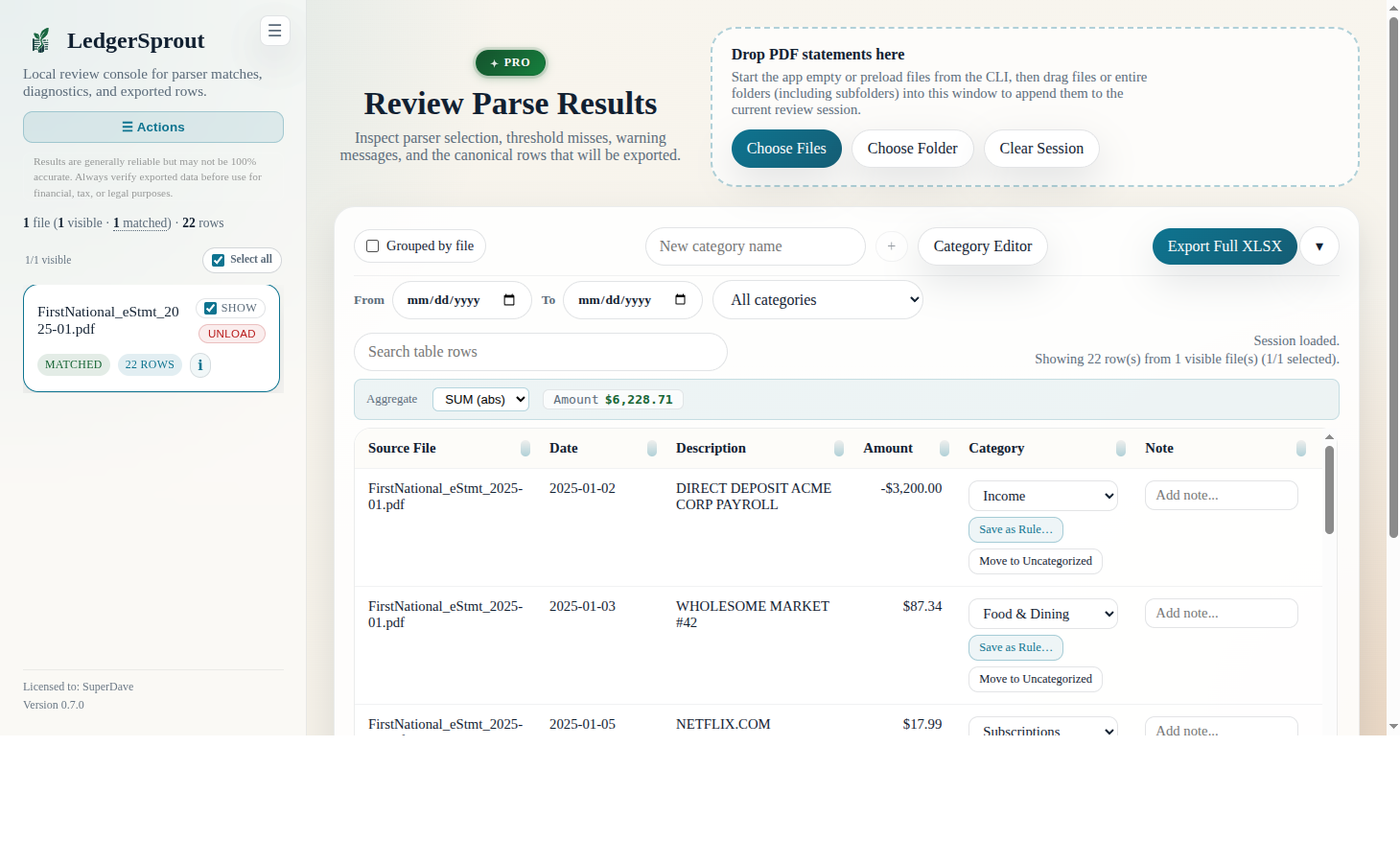
Turn bank and credit card statement PDFs into clean spreadsheet data. Built on the same idea as Countersink: it runs on your own computer, so your financial records never leave it.

  • Import statements and review every extracted row before export
  • Export to CSV and Excel for bookkeeping and tax prep
  • A desktop app for Windows, macOS and Linux

Free to try on your own statements $129 one-time — no subscription

LedgerSprout is how SuperDaveLab pays for free apps like Countersink.

LedgerSprout reviewing rows extracted from a bank statement